
Front Desk Solutions
For Full Serviced Hotels
Guest Experience
- Room RequestTowels, toiletries, amenities — without picking up the phone.
- In-room DiningQR-led ordering with kitchen and POS integration.
- Digital CompendiumHotel info, FAQs, and city guide on every guest's phone.
- Facility BookingSpa, gym, meeting rooms — bookable from in-room QR.
- Upsells & PromotionsAI-recommended cross-sells priced for your property.
- Contact

See it in action
How to Sign Up
Interested parties can initiate the process by visiting the Vouch website, scheduling a demo, or requesting integration through the Cloudbeds marketplace.
Connection — From Cloudbeds
- ✓ Search for “Vouch – Contactless Check-in” in the Cloudbeds Marketplace.
- ✓ Connect and authorise API access.
- ✓ Save the generated API key securely.
- ✓ Await contact from Vouch's sales team.
- ✓ Complete contract and begin integration testing.
Connection — From Vouch
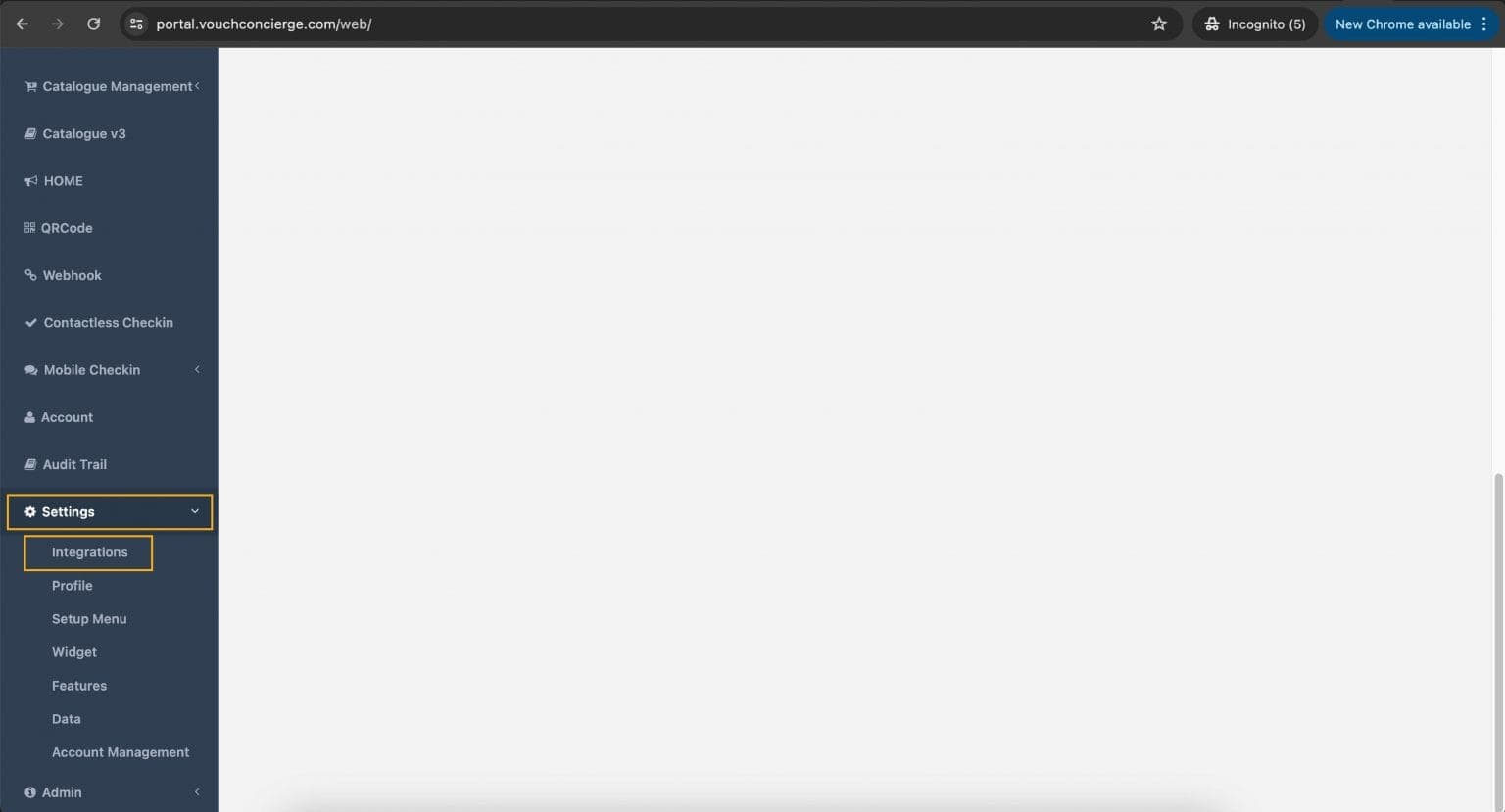
- ✓ Login and navigate to Settings > Integrations.
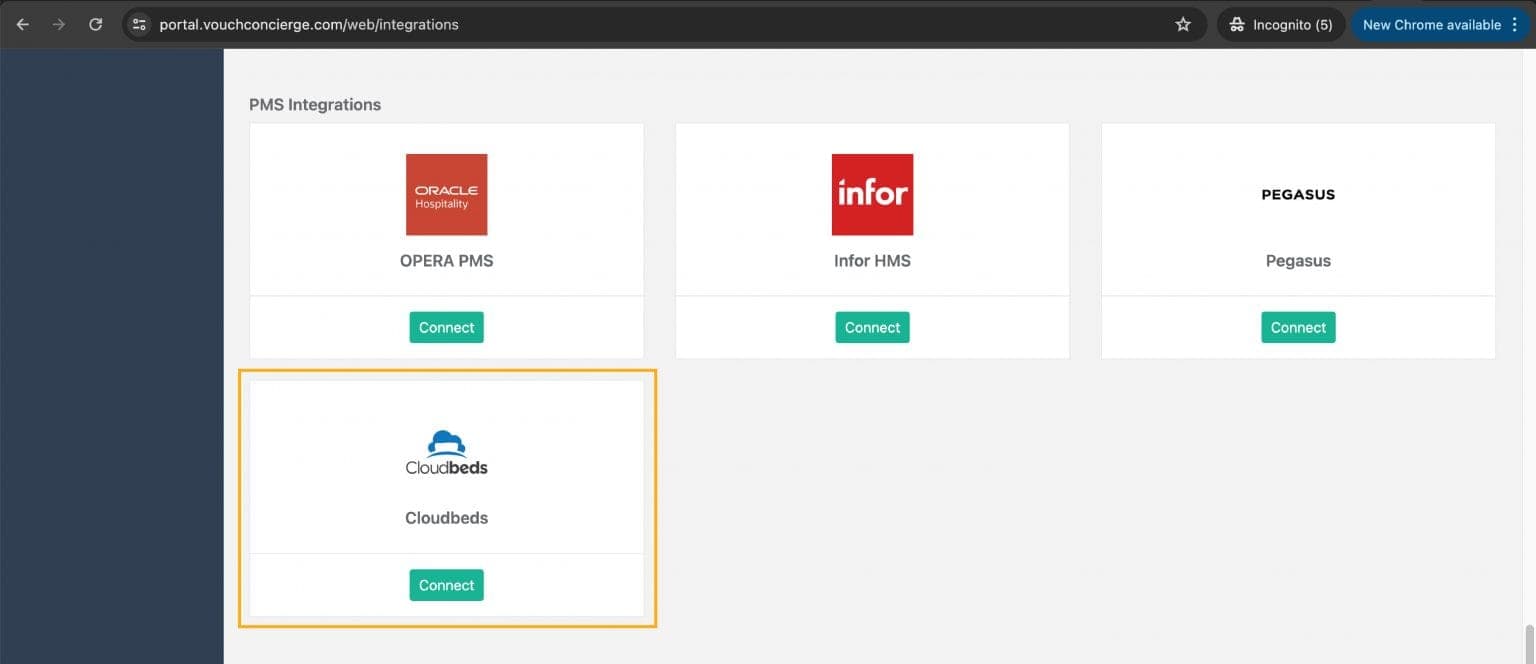
- ✓ Search for Cloudbeds under PMS Integration.
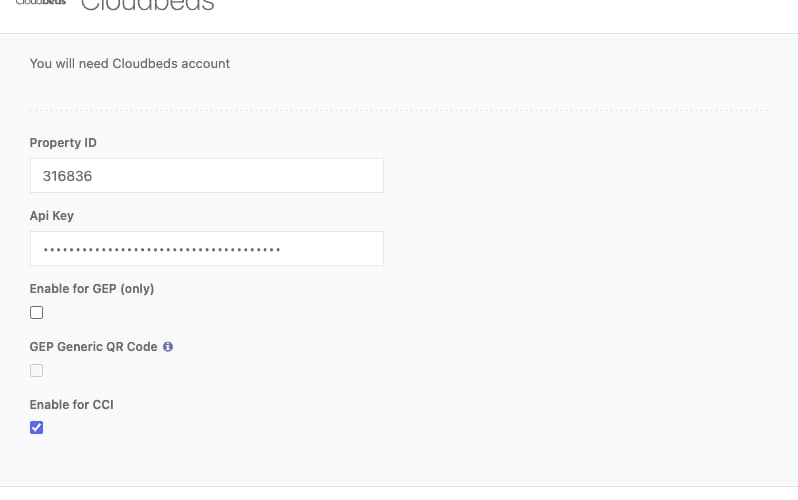
- ✓ Enter Property ID and API key credentials.
- ✓ Select “Enable for CCI” and save.
Key Functionalities
The integration provides two-way connectivity, retrieving reservations from Cloudbeds to identify the guest's reservation, updating guest details within the PMS, uploading a signed copy of the eRegistration card to Cloudbeds, and auto-assigning clean rooms upon check-in.
Disconnection
Users can disconnect from either platform — Vouch by deselecting the CCI option, or Cloudbeds by accessing Connected Apps.
Support & FAQ
Reach out to your account manager or contact success@vouch-technologies.com for assistance. Vouch does not support Cloudbeds Group Accounts but accommodates multi-property configurations.